![Aspire Logo 202011.png]](https://support.aspireapp.com/hs-fs/hubfs/Aspire%20Logo%20202011.png?height=40&name=Aspire%20Logo%20202011.png)
You can view transactions that are either bank transfers or card payments within that specific budget by following the steps below:
-
On your Aspire dashboard, click "Budgets" in the left navigation bar (web app) or click "Menu" and choose "Budgets" (mobile app).

- Click on the budget you'd like to see the transactions from
- Scroll down to transactions and click on "View all"
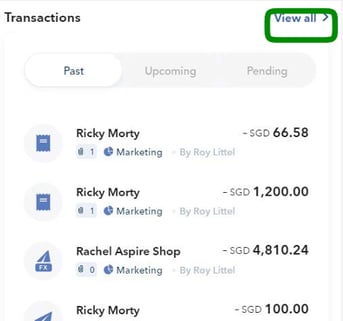
- This will take you to a new screen where you can see all of the budget transactions.
Hot Tip?
Click on "MORE FILTERS" on the right-hand side where you can filter your view based on transaction type and many other filters.
Only a budget owner, admin or finance user can view the transactions within a budget.
Questions? Please log in to the app and reach out in the chat at the bottom right corner of the screen.
Suggestions? Let us know here.