![Aspire Logo 202011.png]](https://support.aspireapp.com/hs-fs/hubfs/Aspire%20Logo%20202011.png?height=40&name=Aspire%20Logo%20202011.png)
To edit the categories and reporting fields of your outbound transactions in one go, follow the steps by steps below:
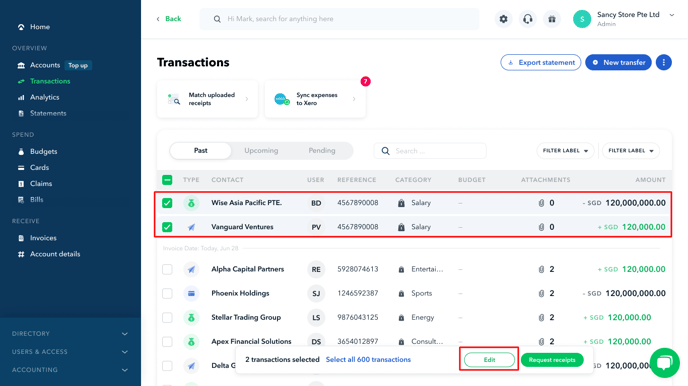
- Go to Transactions page under Overview
- Select the relevant transactions and click on Edit
- Edit the relevant details. In this section, you can change the categories and fill out the reporting fields that have been set by your business.
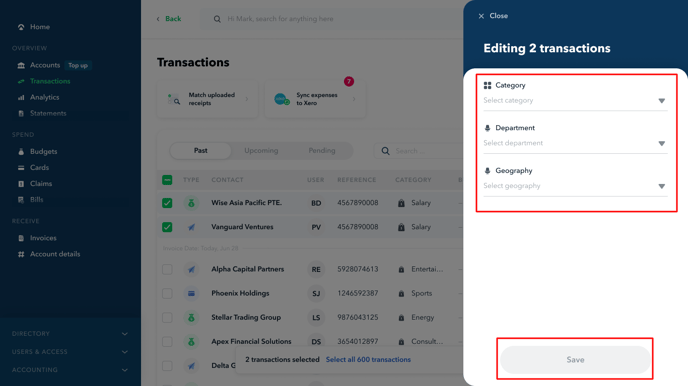
- Once done, click Save and Yes, Update
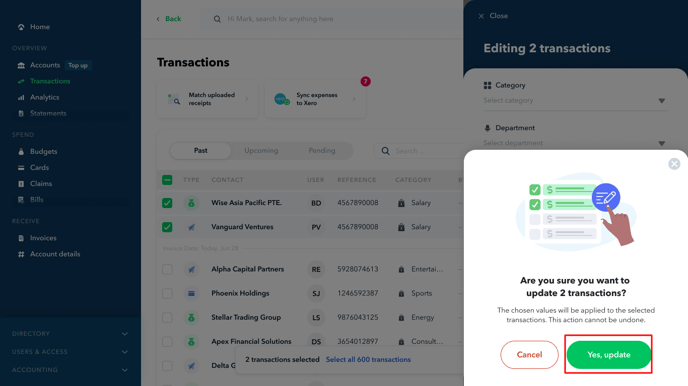
Now your transaction detail has been updated!
Note: You can only select a maximum of 40 transactions at a time when editing your transactions in-bulk.
Questions? Please log in to the app and reach out in the chat at the bottom right corner of the screen.
Suggestions? Let us know here.