![Aspire Logo 202011.png]](https://support.aspireapp.com/hs-fs/hubfs/Aspire%20Logo%20202011.png?height=40&name=Aspire%20Logo%20202011.png)
Admin users can request to activate Aspire EUR Account by following these steps:
1. From the homepage, click on "Open account in a new currency"
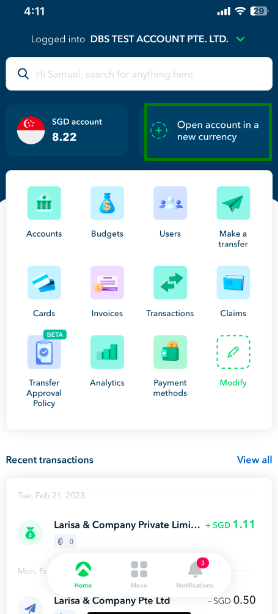
2. Click on "EUR Account", then hit "Open EUR account"

Questions? Please log in to the app and reach out in the chat at the bottom right corner of the screen.
Suggestions? Let us know here.